
Table of Contents
Python Fundamentals Tutorial
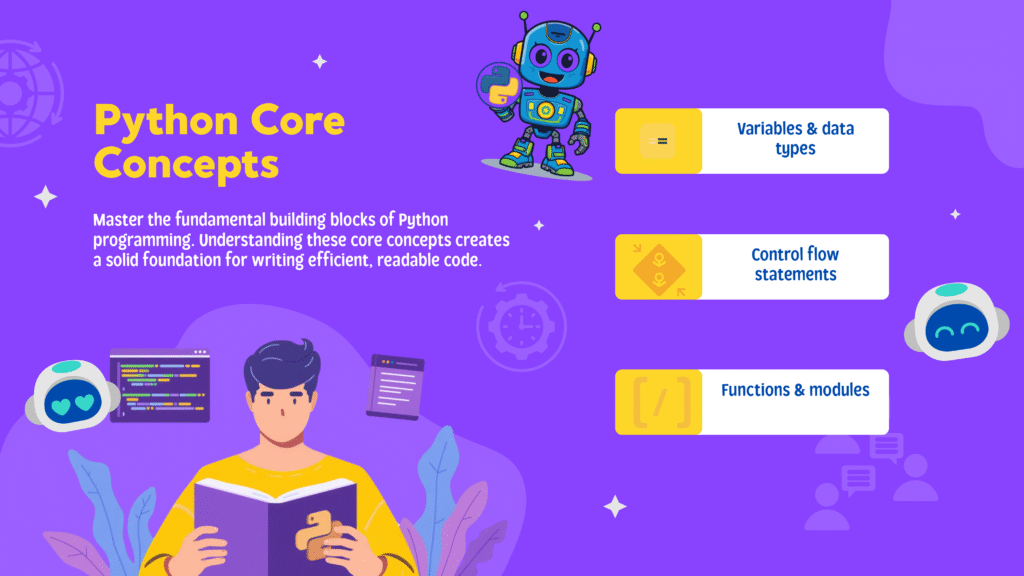
Welcome to your beginner-friendly guide to Python programming! This tutorial is designed to help you build a strong foundation in Python, covering variables, data types, operators, input/output, and variable scope. By the end, you’ll be able to write simple Python programs and understand key concepts that are essential for any programmer.
Learning Goals
- Understand Python variables and naming rules
- Learn about Python data types and literals
- Master type conversion and casting
- Use input and output functions
- Explore Python operators in detail
- Grasp variable scope: local vs global
- Apply practical tips and avoid common mistakes
1. Python Variables and Naming Rules
Variables are containers for storing data values. In Python, you don’t need to declare the type of a variable; Python infers it from the value you assign.
number = 10
site_name = 'skillplayground.com'
print(site_name)  # Output: skillplayground.com
You can change the value of a variable at any time:
site_name = 'skillplayground.com'
site_name = 'apple.com'
print(site_name)  # Output: apple.com
Assign multiple values at once:
a, b, c = 5, 3.2, 'Hello'
print(a, b, c)  # Output: 5 3.2 Hello
Assign the same value to multiple variables:
site1 = site2 = 'skillplayground.com'
print(site1, site2)  # Output: skillplayground.com skillplayground.com
Variable Naming Rules
| Rule | Example |
|---|---|
| Letters, digits, underscores | my_var, age21, _score |
| Cannot start with a digit | _name, total_score |
| Case-sensitive | num, Num (different variables) |
| Cannot use Python keywords | if, class, True (invalid) |
Choose descriptive names and use underscores for multi-word variables (e.g., current_salary).
2. Python Literals and Data Types
Literals are fixed values in your code, such as numbers, strings, or special values like None. Python supports several data types:
| Type | Description | Example |
|---|---|---|
| int | Integer numbers | 5, -11, 0 |
| float | Decimal numbers | 2.5, -9.45 |
| complex | Complex numbers | 6+9j |
| str | Text (strings) | ‘Hello’, “World” |
| bool | True/False values | True, False |
| None | Null value | None |
| list | Ordered, mutable collection | [1, 2, 3] |
| tuple | Ordered, immutable collection | (1, 2, 3) |
| set | Unordered, unique elements | {‘a’, ‘b’, ‘c’} |
| dict | Key-value pairs | {‘a’: 1, ‘b’: 2} |
Examples:
fruits = ["apple", "mango", "orange"]
numbers = (1, 2, 3)
alphabets = {'a': 'apple', 'b': 'ball'}
vowels = {'a', 'e', 'i', 'o', 'u'}
3. Type Conversion and Casting
Type conversion changes a value from one data type to another. Python does this automatically (implicit conversion) or you can do it manually (explicit conversion).
Implicit Conversion
integer_number = 123
float_number = 1.23
new_number = integer_number + float_number
print("Value:", new_number)
print("Data Type:", type(new_number))  # Output: 124.23, <class 'float'>
Explicit Conversion
num_string = '12'
num_integer = 23
num_string = int(num_string)
num_sum = num_integer + num_string
print("Sum:", num_sum)  # Output: 35
Use int(), float(), str() to convert types.
4. Input and Output in Python
Output with print()
print('Python is powerful')
print('Good Morning!', end=' ')
print('It is rainy today')
print('New Year', 2023, 'See you soon!', sep='. ')
Input with input()
num = input('Enter a number: ')
print('You Entered:', num)
print('Data type of num:', type(num))
All input is returned as a string. Convert it to a number if needed:
num = int(input('Enter a number: '))5. Python Operators Explained
Operators are symbols that perform operations on values and variables. Python supports several types:
| Operator Type | Operators | Example |
|---|---|---|
| Arithmetic | +, -, *, /, //, %, ** | 5 + 2 = 7 |
| Assignment | =, +=, -=, *=, /=, %=, **= | a += 1 (a = a + 1) |
| Comparison | ==, !=, >, <, >=, <= | a > b |
| Logical | and, or, not | (a > 2) and (b >= 6) |
| Bitwise | &, |, ~, ^, >>, << | a & b |
| Identity | is, is not | x is y |
| Membership | in, not in | ‘a’ in list |
Arithmetic Operators
a = 7
b = 2
print('Sum:', a + b)
print('Subtraction:', a - b)
print('Multiplication:', a * b)
print('Division:', a / b)
print('Floor Division:', a // b)
print('Modulo:', a % b)
print('Power:', a ** b)
Assignment Operators
a = 10
b = 5
a += b  # a = a + b
print(a)  # Output: 15
Comparison Operators
a = 5
b = 2
print(a == b)  # False
print(a != b)  # True
print(a > b)   # True
print(a < b)   # False
print(a >= b)  # True
print(a <= b)  # False
Logical Operators
a = True
b = False
print(a and b)  # False
print(a or b)   # True
print(not a)    # False
Bitwise Operators
a = 10
b = 4
print(a & b)    # 0
print(a | b)    # 14
print(~a)       # -11
print(a ^ b)    # 14
print(a >> 2)   # 2
print(a << 2)   # 40
Identity Operators
x1 = 5
y1 = 5
x2 = 'Hello'
y2 = 'Hello'
x3 = [1, 2, 3]
y3 = [1, 2, 3]
print(x1 is not y1)  # False
print(x2 is y2)      # True
print(x3 is y3)      # False
Membership Operators
message = 'Hello world'
dict1 = {1: 'a', 2: 'b'}
print('H' in message)  # True
print('hello' not in message)  # True
print(1 in dict1)  # True
print('a' in dict1)  # False
Operator Precedence and Associativity
Operator precedence determines the order of operations. Associativity determines the order when two operators of the same precedence appear in an expression.
print(100 / 10 * 10)      # Output: 100.0
print(5 - 2 + 3)          # Output: 6
print(5 - (2 + 3))        # Output: 0
print(2 ** 3 ** 2)        # Output: 512
6. Variable Scope: Local vs Global
Scope refers to where a variable can be accessed in your code. Variables created inside a function are local to that function. Variables created outside a function are global and can be accessed anywhere.
| Scope | Where Accessible | Example |
|---|---|---|
| Local | Inside the function | x = ‘fantastic’ (inside function) |
| Global | Anywhere in the module | x = ‘awesome’ (outside function) |
x = "awesome"
def myfunc():
    x = "fantastic"
    print("Python is " + x)
myfunc()
print("Python is " + x)
# Output:
# Python is fantastic
# Python is awesome
To modify a global variable inside a function, use the global keyword:
x = "awesome"
def myfunc():
    global x
    x = "fantastic"
myfunc()
print("Python is " + x)
# Output: Python is fantastic
Practical Tips and Common Mistakes
- Always use descriptive variable names
- Do not use Python keywords as variable names
- Remember input() returns a string; convert if needed
- Use
globalkeyword only when necessary - Be careful with operator precedence in complex expressions
- Lists are mutable, tuples are immutable
- Sets do not allow duplicate values
- Dictionaries require unique, immutable keys
| Common Mistake | Correct Usage |
|---|---|
| Using a keyword as a variable name | Use a non-keyword name (e.g., my_var) |
| Forgetting to convert input to int/float | num = int(input('Enter a number: ')) |
| Confusing local and global scope | Use global keyword if needed |
| Trying to modify a tuple | Use a list if you need mutability |
Summary and Next Steps
Congratulations! You’ve learned the essentials of Python variables, data types, operators, input/output, and variable scope. Practice writing small programs to reinforce your understanding. Next, explore control flow (if…else, loops), functions, and data structures for more advanced Python skills.
- Practice: Write a program to split a bill among friends using arithmetic and input/output
- Explore: Python control flow, functions, and data structures
- Challenge: Try coding exercises on skillplayground